 gisvold.org
In short: Heimfolk is an offline-first family hub (chores, rewards, calendar, shopping list) for iPad, iPhone and iPhone Duo. I built it over a weekend using AI coding agents working from one written spec, and it is currently in TestFlight.
It started with a conversation between Gemma and me.
We were talking about reward charts for our children. Nothing revolutionary: a way to tick off the jobs they do, a way to notice when they’ve been kind, and something to work towards. From there it drifted, the way these chats do, into the bigger thing we keep coming back to. Could we be a bit more organised as a family? Could we have one place for everything, rather than a calendar here, a shopping list there, and a dozen things living only in our heads?
At the same time, I’d just got a new iPhone Duo. Which meant our fairly old iPad was suddenly free. It could live on a wall somewhere central in the house. Better still, it could come off the wall so the children can carry it about, tick off their chores and add a point when someone’s been kind.
So, over a weekend of my own time, I built it. It’s called Heimfolk.
What is Heimfolk?
Heimfolk is a family hub. You could also call it a personal CRM for the family, which sounds a bit grand, but it’s roughly right: one app that holds the day, the jobs, the rewards, the people and the odd bits that otherwise get forgotten.
It’s a SwiftUI app that runs on iPad, iPhone and the iPhone Duo. The big screen is the wall iPad, and the phones are the same family hub in your pocket.
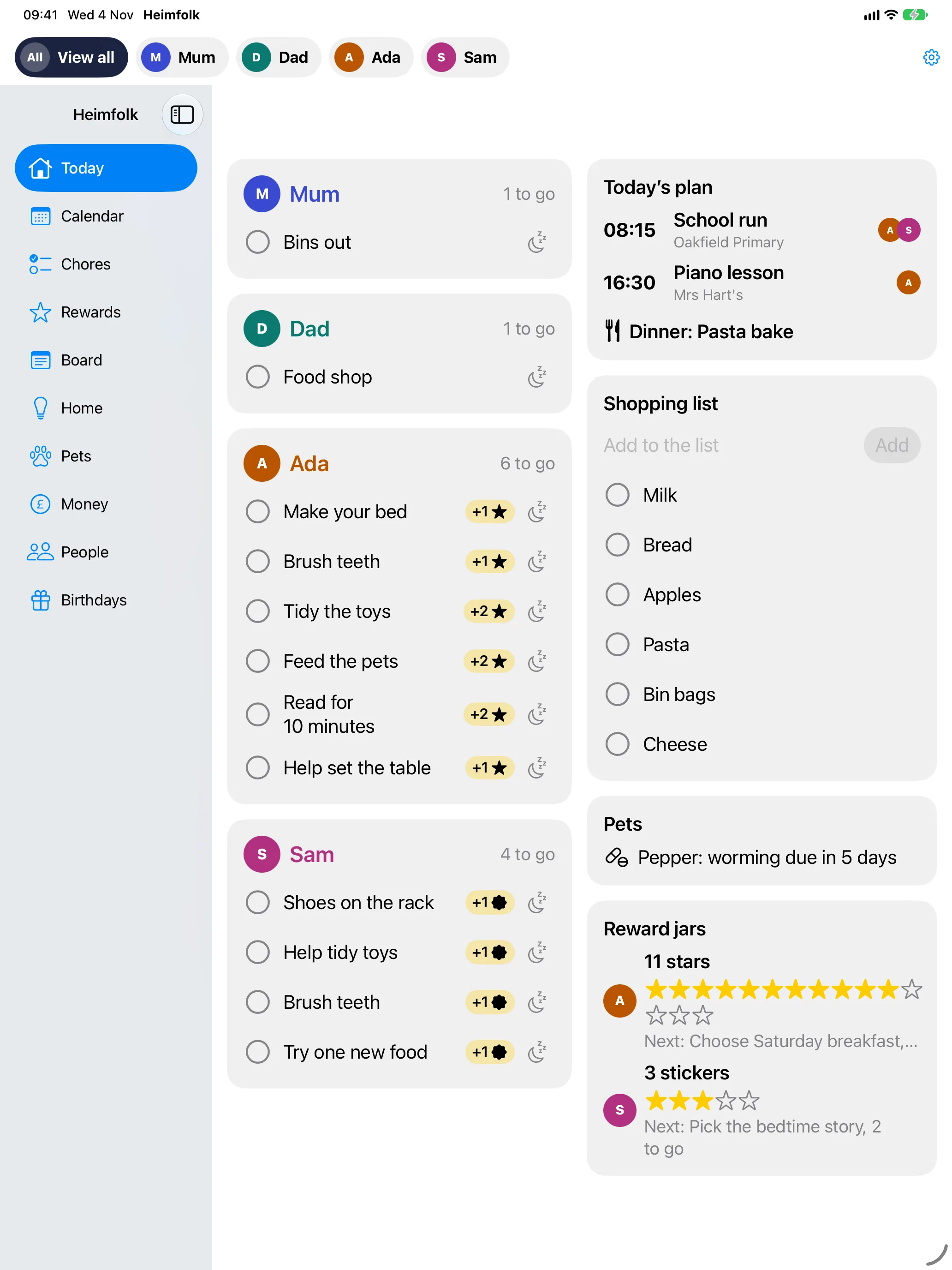 The Today view on the wall iPad. Everyone’s jobs on the left, the plan, shopping list and reward jars on the right. (That’s an invented sample family, by the way, not ours.)
The Today screen is the heart of it. At a glance you can see who has what still to do, what’s happening today, what we need from the shops, and how the reward jars are looking. That was really the whole brief from that conversation: one place you walk past and immediately know where things stand.
Down the side there’s a bit more:
- Today - the family day at a glance, including today’s plan and the shopping list
- Calendar - what’s on
- Chores - jobs for each person, with stars attached
- Rewards - prizes to save up for, and a button for +1 when someone’s been kind
- Board - the family board
- Home - Home Assistant lights and scenes, for the grown-ups
- Pets - because someone has to remember the worming
- Money, People and Birthdays - the things that slip through the cracks otherwise
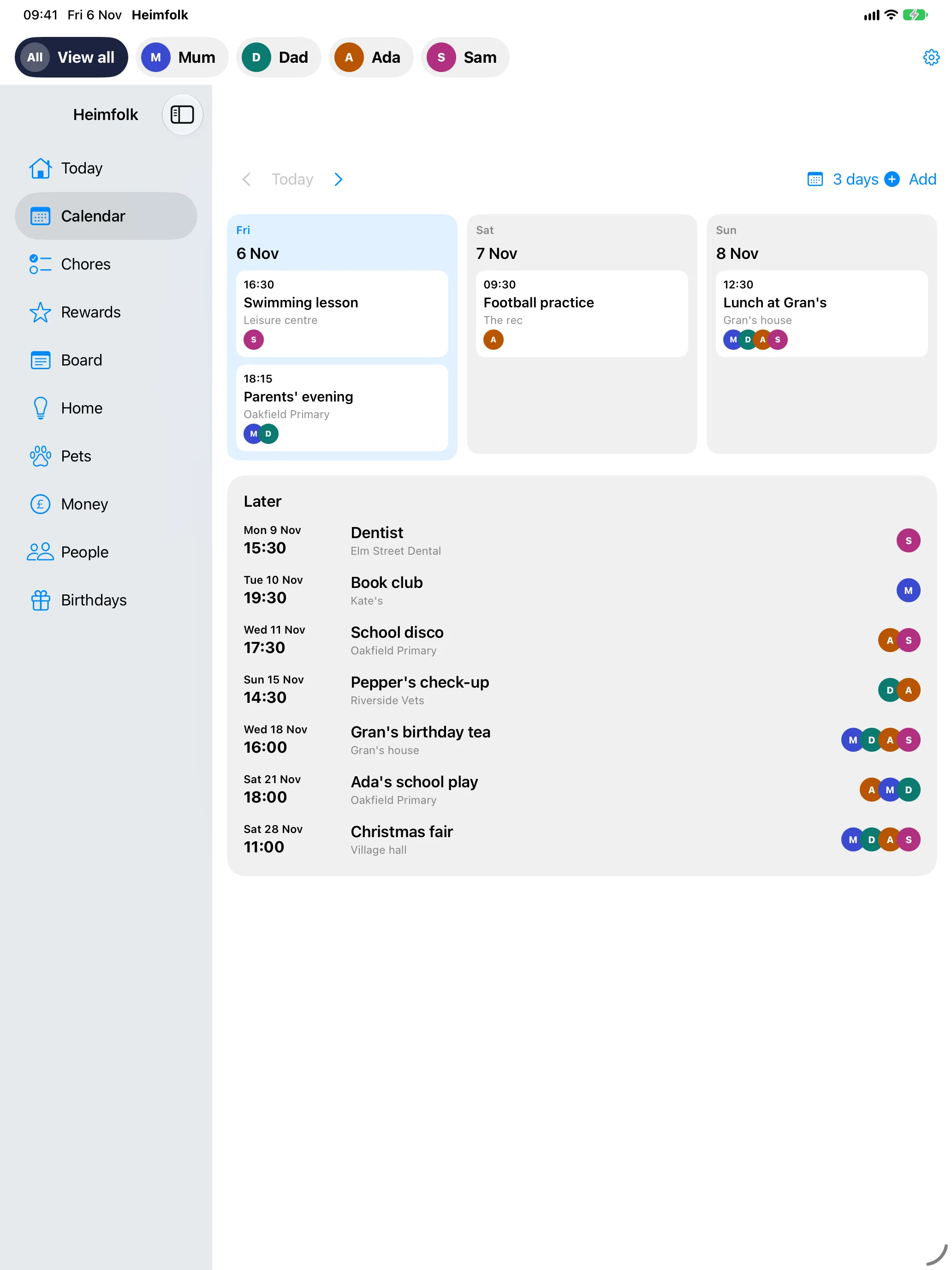 The Calendar view: the next three days up top, everything else coming up underneath, with coloured initials showing who’s going.
Chores and stars
The chores bit is where the reward chart idea lives. Each person has their own column of jobs, and each job can be worth a star or two. Tick it off and the star goes into that child’s jar.
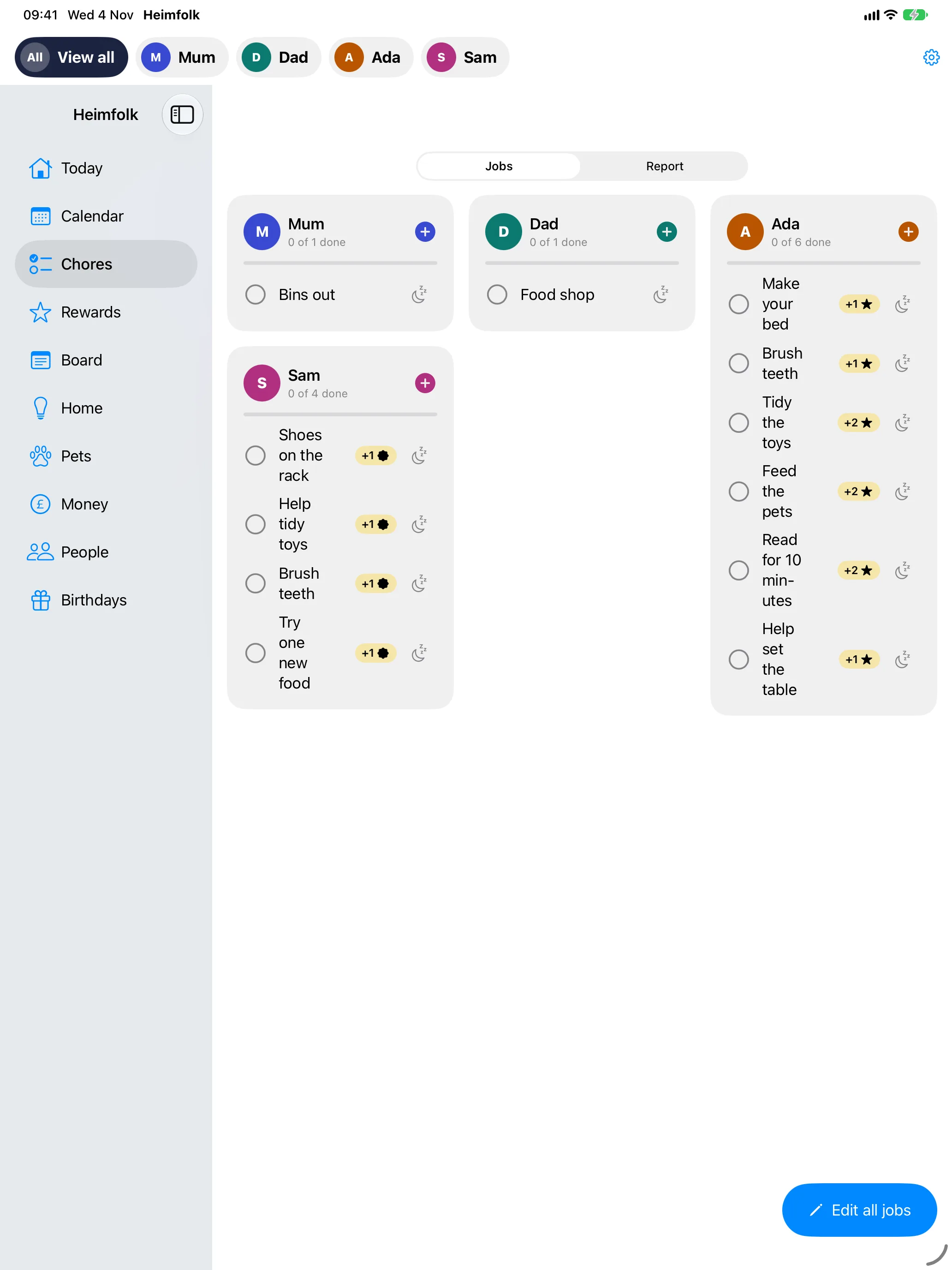 Chores on the iPad: one column per person, and the grown-ups don’t get to escape either.
I’m quite pleased that the adults are on there too. Bins out and the food shop sit alongside “make your bed” and “brush teeth”. Partly that’s just honest, and partly it’s a small nudge that this is a family thing, not a system for managing the children.
Rewards, and +1 for being kind
The bit I think our children will care about most is Rewards. Each child has a jar that fills up as they earn stars (or stickers, as you can see on the right), and a list of prizes they’re working towards. When they have enough, they can claim one.
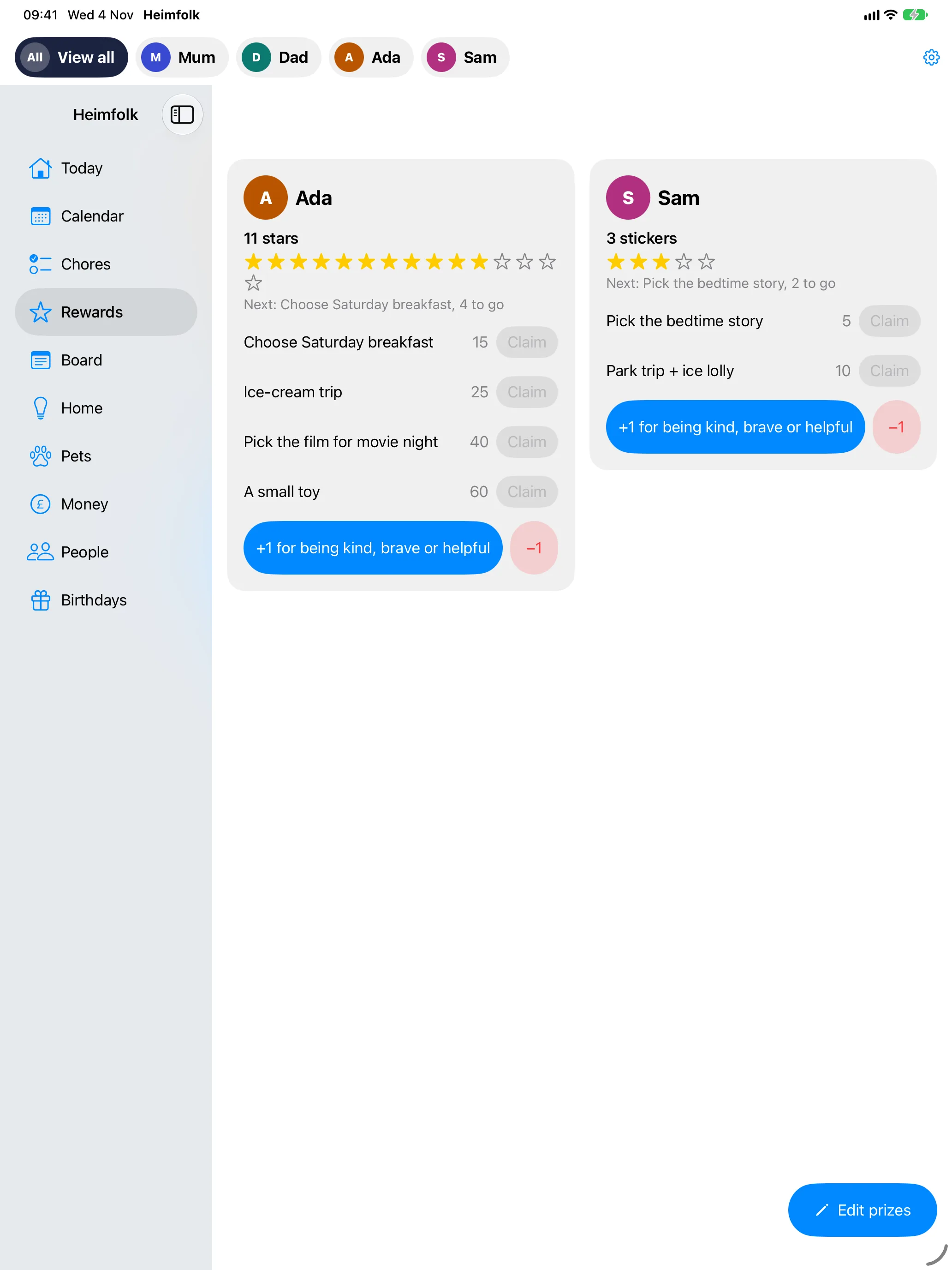 Rewards: prizes to save up for, and the all-important “+1 for being kind, brave or helpful” button.
And when a child reaches a prize, there’s a proper moment for it.
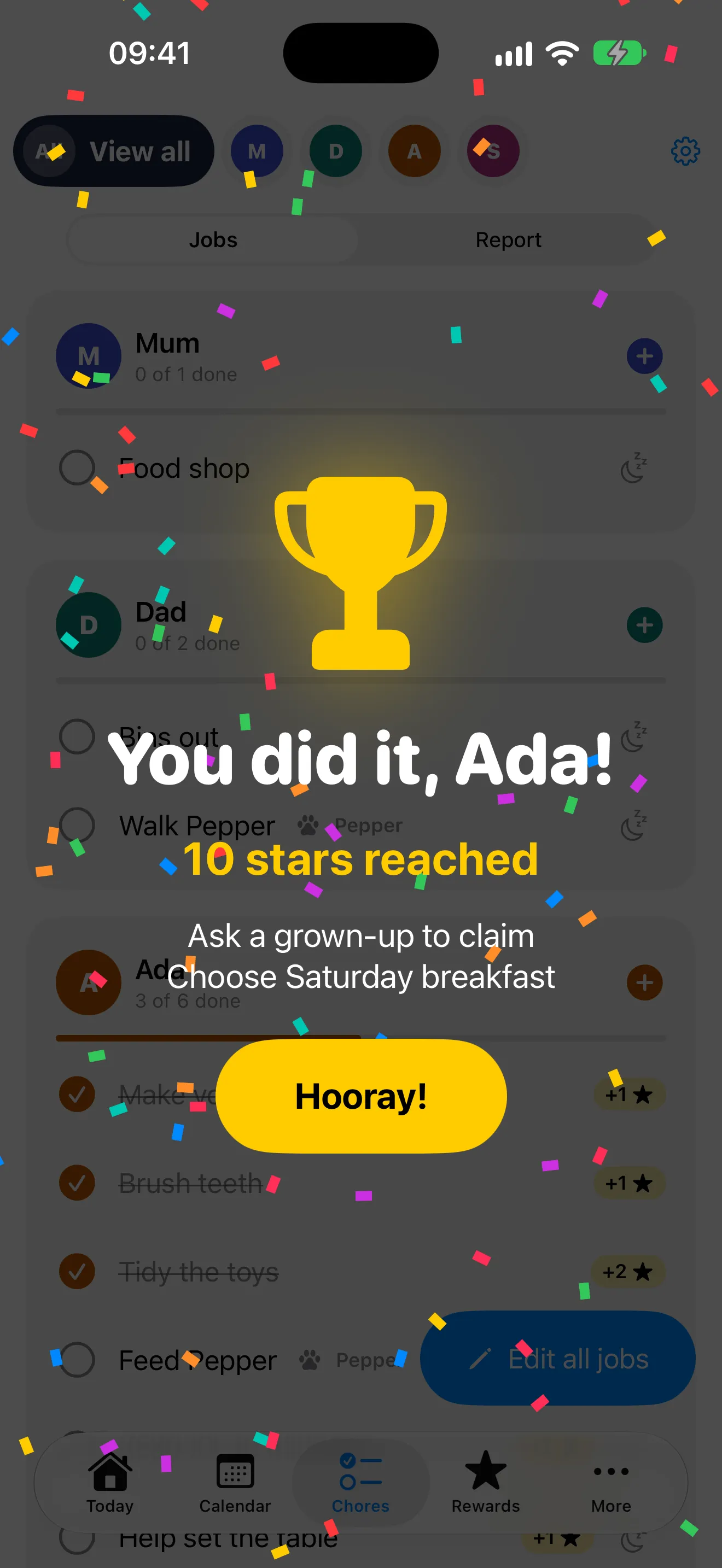 Ten stars reached: a trophy, some confetti, and a reminder to ask a grown-up to claim the prize.
The thing Gemma and I both wanted, though, was a way to reward the stuff that isn’t on a list. Being kind. Being brave. Being helpful. So there’s a big friendly +1 button for exactly that. It’s a tiny feature, but it’s probably the one that matters most to me.
Profiles are buttons, not accounts
One decision I made early on was that profiles in Heimfolk are buttons, not accounts. Nobody logs in. You tap your face (well, your coloured initial) along the top and the app shows you your stuff.
For our children that matters a lot. Their profiles keep the screens simple: their jobs, their stars, their prizes. No settings, no menus to get lost in, nothing to break.
On the wall, the iPad uses Guided Access and keeps the screen on, so it behaves like a family display rather than just another iPad.
The phone version
The iPhone and iPhone Duo version is the same hub, just reshaped for a smaller screen, with the main sections along the bottom.
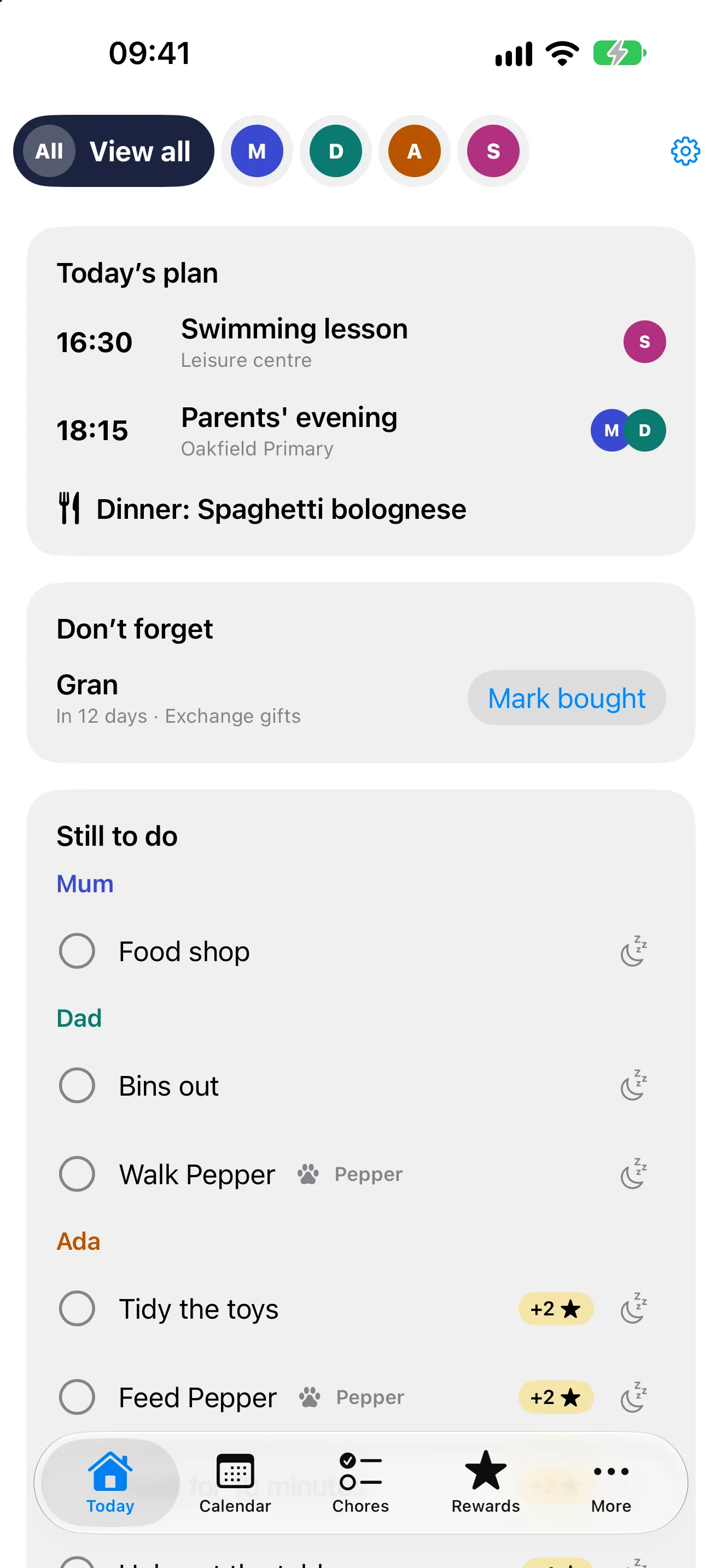 Heimfolk on iPhone: today’s plan at the top, a nudge about Gran’s gift, and what’s still to do underneath.
It means I can check the plan or add something to the shopping list while I’m out, and it’s there on the wall when I get home.
Offline first, and no iCloud
This is the slightly nerdy bit, but it’s something I cared about.
Heimfolk is offline-first. Each device keeps its own copy of the family’s data, so the app works perfectly well without a connection. When a device is online it syncs and backs up through a small Cloudflare Worker I run, rather than iCloud. If two people edit the same thing, the newest edit wins, which is simple and, for a family, almost always the right answer.
Before anything leaves a device, it’s encrypted on the device with a family key (AES-256-GCM, for those who like to know). Devices also prove who they are using Secure Enclave signatures, plus Apple’s App Attest where the device supports it. I didn’t want a family app, with our children’s routines and our household details in it, to be casual about that sort of thing.
Built over a weekend, with a bit of help
Now, the honest part. I’m not going to pretend I sat down and hand-wrote a SwiftUI app, a sync service and an encryption layer from scratch over two days. I built Heimfolk with AI, and that’s really the point of this post.
The code was written with Claude Sonnet 5.5, running on my Mac, doing the coding, the Xcode work and everything local. Grok Bot did the reviews. I gave the weekend, the ideas, the decisions and the taste. The agents did a great deal of the typing.
What made it work wasn’t one clever AI. It was a written spec, and several AI agents each doing the part they were best placed to do.
One spec, several agents
Before much code was written, there was a spec. A proper written description of what Heimfolk is, what it does, what it must never do, and how the pieces fit together. In the repo there’s a binding contract document that every agent works to, so that nobody (human or otherwise) quietly decides the rules are different today.
Then the work was split by capability:
- Claude on my Mac handled the code: SwiftUI, Xcode, building and running things locally.
- A Grok Bot I use as a personal dev bot handled the platform side: App Store Connect, the Apple Developer portal, GitHub settings, and framing screenshots for the store.
- Grok Bot did reviews, and is also helping me write this post.
They don’t share a brain, so they hand work to each other through a handoff log in the repo. One agent writes down what it did, what’s left and what it needs; the next one picks it up. It’s not far off how a good small team works, just with a lot more writing things down, which, frankly, most teams could do with too.
The surprising thing for me was how much of the value came from the spec rather than the agents. A clear spec gives every agent the same picture of what “done” looks like. Writing down what you actually want turns out to be the hardest and most useful part, which is probably true of most things in life.
A name change along the way
Heimfolk wasn’t always Heimfolk. It started life as Hearth. Unfortunately there’s already a Hearth Display, and a trade mark clash is not a fun way to start a project. So it became Heimfolk.
Where it’s at
Heimfolk is still on TestFlight. It’s being tested, and it’s very much not finished.
There’s more in flight, too:
- iOS, which is the iPad and iPhone app you can see here
- macOS, for Macs with M-series chips
- Apple Watch
None of those are “done”, and I’d rather say that plainly than pretend otherwise.
I might take it to Product Hunt at some point. Maybe. If I do, it’ll be because it’s genuinely useful to us first, not because there’s a launch date to hit.
What I’ve taken from it
A few things, really.
First, a fairly old iPad doing nothing is a wasted family screen. On a wall, in the right place, it becomes the thing everyone glances at on the way out of the door.
Second, the best features came from a conversation, not from me sat at a keyboard. Reward charts, one place for everything, +1 for being kind. Gemma and I talking about how we wanted our family to feel did more for the design than any amount of clever thinking on my own.
And third, the real power of AI here wasn’t that it wrote code. It’s that a clear written spec, handed to several agents with different strengths, let one person build something over a weekend that would otherwise have sat on a “one day” list forever.
If you’ve got an old iPad and a family that could do with being a bit more organised, I’d love to hear how you’ve tackled it. And if Heimfolk does make it to Product Hunt, I’ll write about that here too.
